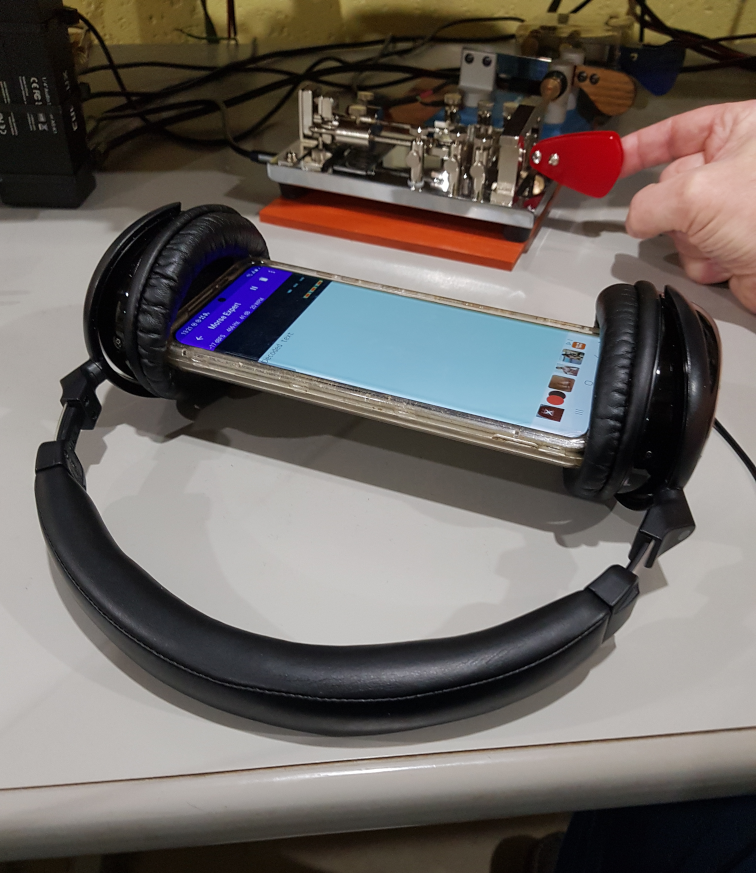
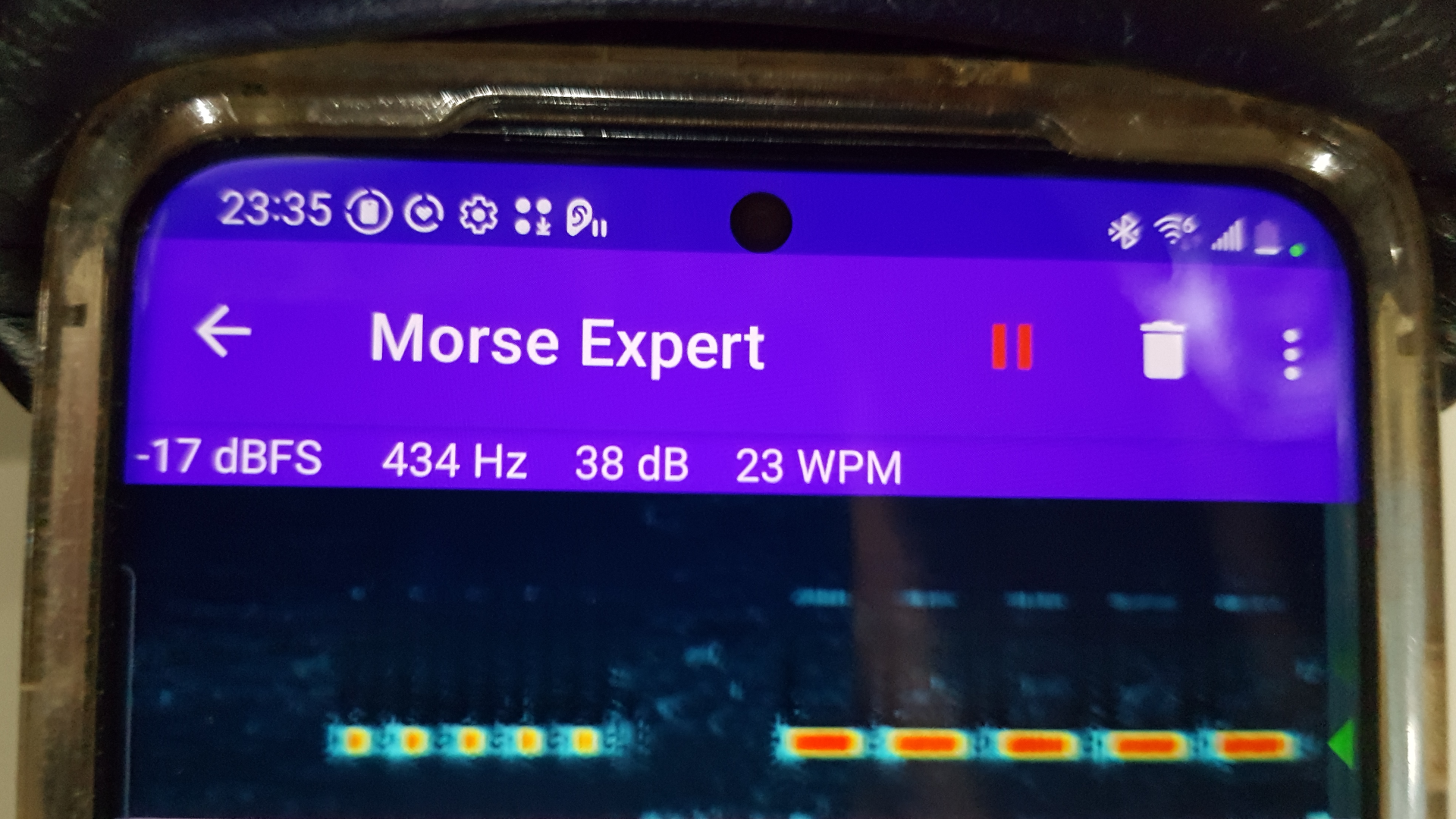
The main goal is visual observation of dahs and dits. For having an Android smartphone (Samsung S20), I employ the Morse Expert app. Any other app or program similarly offering a visual representation of dahs and dits would work as well.
I realize ex-post-facto that I’d have enjoyed sharper looking visual dahs and dits on-screen had I first temporarily adjusted the rig’s CW tone for 800 Hz. That as opposed to 432 Hz, which is my habitual listening preference.
Precision CW Fistcheck LINK for a Windows PC instead of Android smartphone.
Please inform of any others, such as for IPhone, etc. EMAIL
For oscillating 1/3 as fast, the dah pendumum’s motion decays more quickly. Its settings are thus fussier than for dits. Once the dahs are set, however, getting dits to match is simple and quick.
My own rig is a Mission RGO One. I set it for iambic keying, then dial up the speed I’m wanting to match. Leaving open the menu for iambic versus straight key, I switch back and forth while making adjustments to the FAB.
Finger speed is a factor for insuring a well-formed initial or solitary dah. Depress the lever at a speed which accellerates the pendulum to its natural resonance. Not any faster. Otherwise the pendulum may rebound from off the contact more quickly than during natural, free oscillations. The result is a shortened first dah in a sequence of dahs. Likewise for solitary dahs: as with the letters T, N, or K, and the numberal 6.
The disparity might seem only minor to human ears; but it can spell a world of difference to CW skimmers. The Reverse Beacon Network might have trouble recognizing your call sign.
Dahs and dits each have identical sets of five adjustment controls.
Adjust to taste while paying attention to what happens on paddle release.
A. Not so weak that the pendulum rebounds lightly away from the dampener plural times.
B. Not so strong that the dampener rebounds heavily away from the pendulum’s return.
C. Ideal is when the pendulum and damper rebound from one another very slightly, and just only once.
For dahs the recommended span is 2-3 mm (a US dime and penny together are about 2.5 mm thick).
In adjusting mine for 22 wpm, I set the dah gap close to the max. It’s a matter of allowing travel sufficient to accelerate the weight smoothly.
Take the weight’s inertial lag into account. A too short, too quick, overly snappy paddle traversal makes for an inconsistent first or solitary dah.
Fairly obvious, this one. But observe as how the contact’s leaf-spring partially dampens out pendulum leaf-spring’s impetus for sustained oscillation.
Again, fairly obvious: out for slower, in for faster.
The GHD GN309FA has swing-type dampeners: rollers which swing on rectangular, vertical pendulums. The horizontal dah and dit pendulums shed their momentum when impacting against these at release of the paddle.
The dit pendulum ought to stop at once. The dah pendumum might rebound mildly, but not more than twice. Oscillation must be fully arrested prior to next depress of the paddle for that same direction.
FYI Note: Optionally silence metal-on-metal clacking with a silicone o-ring (OD 6.5 mm; ID 3.5 mm; hardness Shore 50A) slipped onto each pendulum shaft.
Leaving return spring, travel, and damper alone, iterate between adjusting contact gap and weight position until dahs on the FAB exactly match iambic keying for the chosen speed.
It can take a goodly number of iterations back and forth between the contact-gap and weight-position adjustments before a mutual sweet spot is found. This is owing to interplay between the two leaf springs (contact and pendulum). Each partially dampens the other.
Make certain that a single long press will sustain six full dahs before oscillation decay. I shoot for ten.
A curious thing, the dah and dit weights being equal, yes? To casual examination, the dah and dit pendulums of a GHD GN309FA might appear identical. Calipers however inform of the dah pendulum’s leaf spring being very slightly longer (13.62 mm versus 11.42 mm).
Other factors being the same, cantilever spring stiffness varies with the inverse of twice its length squared. The seemingly tiny 16% length differential therefor has great effect.
For dits the recommended span is 1-2 mm (a US penny is about 1.4 mm thick).
In adjusting mine for 22 wpm, I set the dit gap close to the max.
Observe the width of spacing between sets of dahs. Iterate between contact gap and weight position until dit width and inter-dit spacing are each exactly equal to inter-dah spacing.
Do not close down Morse Expert (or whatever) just yet. Now is the time to practice your finger timing. Get the hang of moderating finger accelleration on that first dah. Also the transitions between dahs and dits. It is a different feel than you get from either dual paddles or a cootie.
When sending CQs, check whether the Reverse Beacon Network lists you consistently, irratically, or not at all. Any issues will most likely be due to inconsistent first or solitary dahs, elsewise to your transition between dits and dahs.
Latin for “Let the moocher beware”. Having designed and built this just only for me, I have enjoyed to use it with glee. I share the instructions here with you for free, but offered without even so much as the smell of a dead warranty (or wheriot, as the case may be). Whatsoever disasters of cosmic proportion as may result from your having followed these plans, any and all culpability rests wholly and solely with the user.